
Quick Fixes for Paper Jams: Troubleshoot Your Printer & Copier
Introduction
Paper jams are a frustrating yet common occurrence in any busy office environment, capable of bringing productivity to a screeching halt. Whether you're dealing with a high-volume photocopier or a compact office printer, knowing how to quickly and safely resolve a jam is crucial. This guide will walk you through effective troubleshooting steps to get your equipment back online swiftly.
Main Discussion
1. Safety First: Power Down Your Machine
Before attempting any troubleshooting, always prioritize safety. Turn off your photocopier or printer and unplug it from the power source. This prevents accidental injury from moving parts or electrical shock, especially in larger, more complex machines often found in Pakistani offices.
2. Locate the Jammed Paper
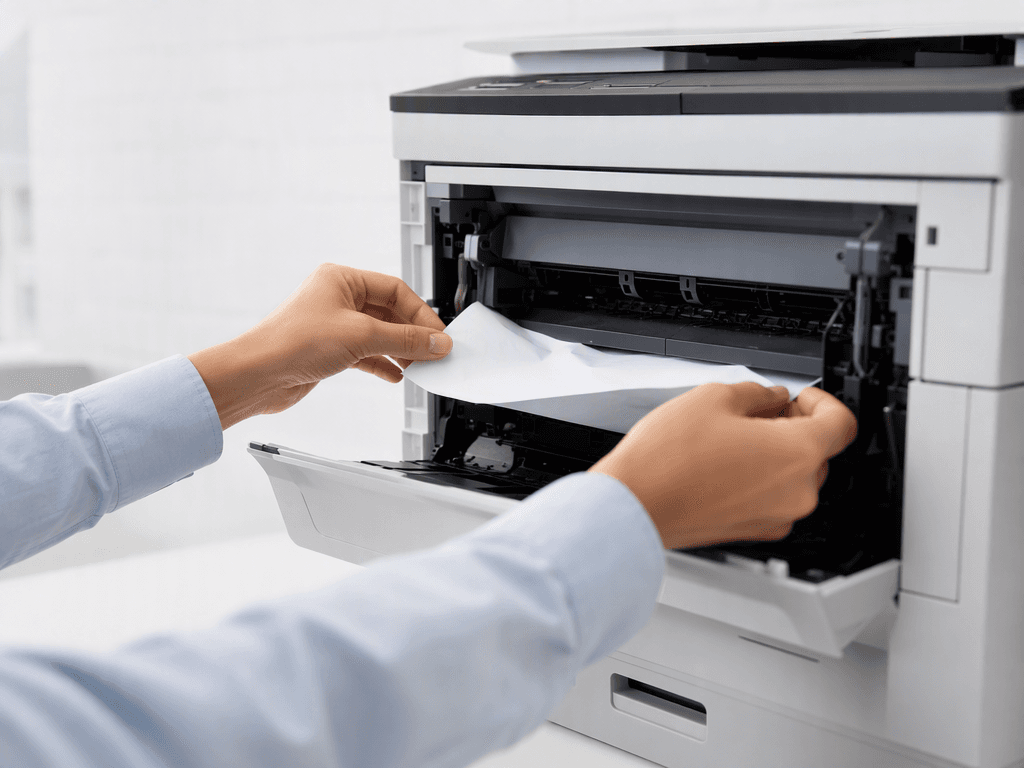
Most modern printers and photocopiers have indicator lights or display messages that point to the general area of the jam. Common locations include paper trays, the fuser unit, duplexing units, or the output tray. Carefully open access panels, following the machine's internal diagrams or user manual if available, to pinpoint the exact location of the obstruction.
3. Gently Remove the Paper
Once located, grasp the jammed paper firmly with both hands and pull it slowly and steadily in the direction of the paper's normal path. Avoid yanking or pulling against resistance, as this can tear the paper, leaving small, hard-to-remove fragments that can cause future jams or damage internal components. For delicate areas like the fuser, be extra cautious as it can be hot.
4. Inspect for Remaining Fragments
After removing the main sheet, use a flashlight to thoroughly inspect the entire paper path for any small, torn pieces of paper. Even the smallest fragment can lead to recurring jams or affect print quality. Pay close attention to rollers and guides. Ensure all access panels are securely closed before proceeding.
5. Check Paper Quality and Reload Properly
Often, paper jams are caused by improperly loaded, creased, or damp paper. Ensure you are using the correct paper type and weight specified for your machine. Fan the paper stack to remove static and align it perfectly before loading it back into the tray. Do not overfill paper trays beyond their maximum capacity.
Why It Matters
For businesses and offices across Pakistan, minimizing downtime is paramount. A stalled photocopier or printer due to a paper jam can disrupt workflows, delay critical documents, and impact client deadlines. By equipping your staff with the knowledge to quickly resolve these issues, you ensure continuous operation, maintain productivity, and extend the lifespan of your valuable office equipment. Proactive maintenance and quick troubleshooting save time and money, contributing to a more efficient and resilient business environment.
Contact
Contact us: +92 332 2805280
Follow Us on TikTok
Check out our latest videos, product demos, and behind-the-scenes content
Follow Us on Facebook
Stay updated with our latest news and community updates